
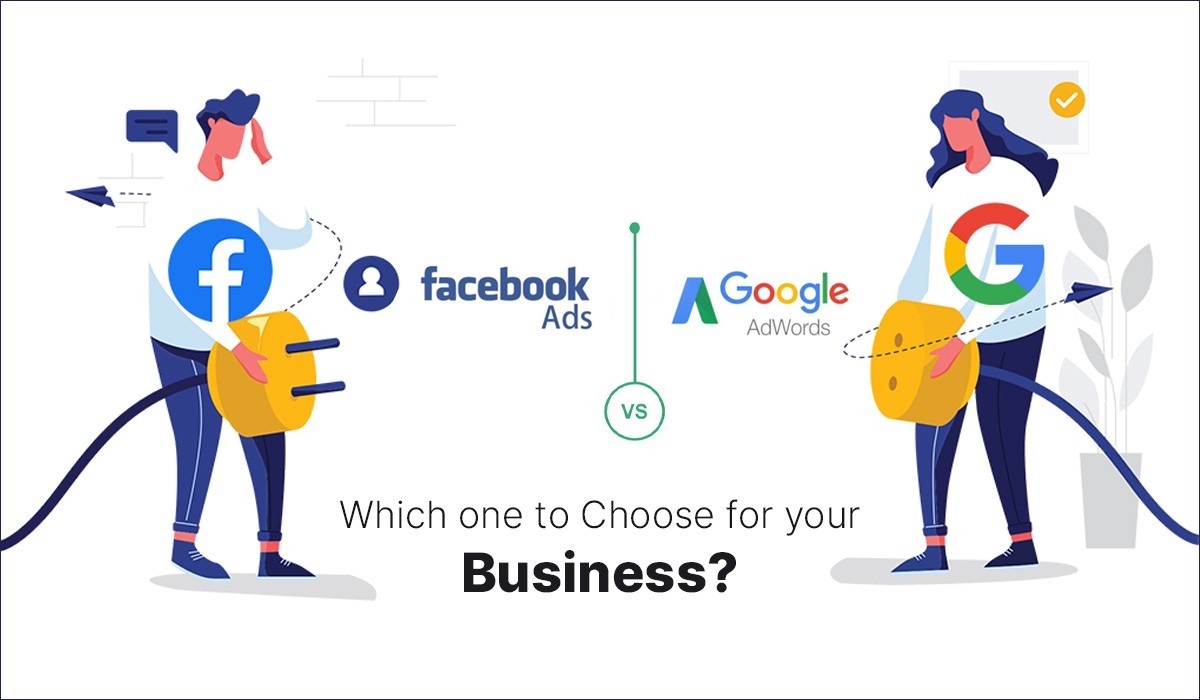
Advertising online is vital for any business wanting to grow in today’s world. It helps reach more customers and increase sales. Two top platforms for online Facebook Ads and Google Ads. Both have unique strengths, but which one fits your business best? Picking the right platform depends on your goals, audience, and budget. Facebook vs Google Ads: Performance Breakdown for 2025 This guide will compare these two giants to help you make a smart choice. Understanding Google Ads and Facebook Ads What Are Google Ads? Google Ads works mainly by showing your ads when people search on Google or browse websites in the display network. It’s like putting a billboard on a busy highway—your ad appears where people are actively looking for what you offer. You can target keywords people type in, create shopping ads for products, or show remarketing ads to visitors who left your site. Many businesses use Google Ads to attract high-intent shoppers who are ready to buy. What Are Facebook Ads? Facebook Ads run across Facebook, Instagram, Messenger, and other social apps. It’s more about discovery and engagement. With Facebook Ads, you target audiences based on age, interests, behaviors, and more. You can choose to run campaign types like photo ads, videos, carousel ads, or even stories. It’s a powerful way to build brand awareness, connect with customers, and boost social engagement. Key Differences at a Glance Aspect Google Ads Facebook Ads Focus Search intent Social discovery Audience Targeting Keywords, remarketing Demographics, interests Cost Model CPC, CPM, CPA Bidding via ad auction Main Use Lead generation Brand building Audience Targeting and Reach Google Ads Audience Targeting Google reaches users when they search for specific terms. For example, someone searching “best running shoes” is already interested in buying shoes. You can also retarget visitors who visited your website but didn’t purchase. Additionally, in-market and affinity audiences let you find users based on their recent interests and habits. This makes Google Ads great for high-intent prospects. Facebook Ads Audience Targeting Facebook lets you reach people based on their detailed profiles—age, location, hobbies, behaviors, and more. You can create custom audiences from your customer data or website visitors. Plus, lookalike audiences help find new users similar to your best customers. This makes Facebook ideal for brand awareness and engaging new markets. Which Platform Reaches Your Ideal Audience? If your business relies on people actively searching for your products or services, Google Ads is a strong fit. For example, local restaurants or emergency services benefit from Google’s high-intent targeting. On the other hand, if you want to connect with people based on their interests or hobbies—such as fashion, travel, or fitness—Facebook excels. Examine your target demographics carefully to pick the right platform. Advertising Cost and ROI Cost Structures Google Ads charges mainly through cost-per-click (CPC), where you pay for each user who clicks your ad. Some campaigns also use cost-per-mille (CPM), paying per thousand views, or cost-per-acquisition (CPA). Costs vary based on industry, keywords, and competition. Facebook Ads also operate on an auction system, influencing your cost based on bid amount and audience relevance. Generally, Facebook tends to be cheaper per click but depends heavily on targeting precision. Return on Investment (ROI) Considerations Google Ads typically delivers quick results, especially when targeting high-intent searches. Many businesses see a strong ROI when customers are ready to buy. Facebook Ads often focus on building relationships and brand loyalty, which can lead to long-term value. To maximize ROI, set clear budgets, test different ads, and track your conversions. Use tools like Google Analytics and Facebook Pixel to see which campaigns generate the best results. Actionable Tips Ad Creative and Format Options Google Ads Creative Formats Google offers different ad types: text ads for search results, display banners on partner sites, and responsive ads that adjust size and format automatically. Video ads on YouTube also boost brand awareness. Your creative should focus on clear messaging and strong calls to action. Facebook Ads Creative Formats Facebook supports eye-catching images, videos, and engaging formats like carousels and collections. Stories offer a full-screen experience, perfect for quick, visually appealing messages. Messenger ads allow businesses to connect directly through private conversations. Best Practices for Creating Effective Ads Performance Metrics and Analytics Measuring Success on Google Ads Key metrics include click-through rate (CTR), which shows how many clicked your ad, and Quality Score, which affects your costs. Conversion rate tells you how many visitors performed your desired action. Link Google Ads with Google Analytics for deeper insights, including offline conversions like calls or in-store visits. Measuring Success on Facebook Ads Engagement metrics show how users interact with your ads. Reach and impressions reveal how many people saw your ad. Facebook Pixel tracks actions on your website, like purchases or sign-ups. Use audience insights to refine your campaign targeting and creative. Data-Driven Optimization Tips Which Platform Suits Your Business Goals? For Local and Search-Intent Campaigns If you target customers looking for your service now, Google Ads sharpens your focus on high-intent searches. Local businesses like plumbers or salons often see success here because they catch users at the exact moment they need help. For Brand Awareness and Social Engagement When your goal is to raise awareness or engage emotionally, Facebook can boost your brand’s visibility. For example, fashion brands or restaurants often thrive with social campaigns that spark likes, shares, and comments. Combining Both Platforms for a Holistic Strategy Many businesses find success in using both platforms together. Use Google Ads for immediate lead capture and Facebook Ads for nurturing relationships. Retarget users across platforms for a complete marketing cycle. Allocate your budget based on where your audience spends most of their time. Conclusion Choosing between Google Ads and Facebook Ads depends on your business goals. Google excels at targeting people searching for specific products or services, making it ideal for direct response campaigns. Facebook shines in building brand awareness and nurturing emotional connections through detailed targeting. The best approach is to test both platforms. Start small, measure results,
Author: pallavi goud
Why Business Owners Use Digital Marketing Services
In today’s competitive world, having just a physical presence is no longer enough. Business owners use digital marketing services to grow, attract customers, and stay ahead of competitors. Here’s why digital marketing is essential for business success. Modern business success depends heavily on online presence. Without an effective digital marketing plan, even the best products can be hidden in the crowd. As more people turn to the internet to find what they need, traditional advertising isn’t enough anymore. Business owners that embrace digital marketing find new ways to grow, outshine competitors, and reach more customers. The Growing Necessity of Digital Marketing in Today’s Business Environment The Digital Shift in Consumer Behavior People now spend hours browsing online before making a purchase. They research brands, read reviews, and compare prices from their phones or computers. Unlike a decade ago, most consumers prefer to shop online for convenience and choice. Online shopping grew by over 20% in the last few years alone, and mobile internet usage keeps climbing. This shift makes digital channels the most effective way to connect with potential customers. The Impact of Digital Transformation on Businesses Digital marketing helps businesses build awareness and create relationships. Instead of relying on posters or flyers, companies can show what they offer through websites, social media, and email. For example, a small café that used to depend only on foot traffic now gets many new customers through local SEO and social media posts. Many companies that adopted digital plans boosted sales and strengthened their brand in just months. Why Business Owners Must Embrace Digital Marketing Now If you don’t adapt, you risk falling behind. Your competitors are already online, engaging audiences and winning business. Without digital marketing, you could miss out on hundreds of leads and chances to grow. The longer you wait, the more difficult it becomes to catch up. Acting now means you stay relevant and ahead of the game. Increased Visibility and Brand Recognition Through Digital Marketing Search Engine Optimization (SEO) Ranking high on Google can bring a flood of new visitors. SEO tools help your website appear at the top of search results when people look for your products or services. For instance, a local bakery that optimized its website saw a 40% rise in foot traffic and online orders within three months. Small businesses can benefit greatly from targeting keywords specific to their niche. Social Media Marketing Social media creates a space to connect and build trust. Platforms like Facebook, Instagram, and LinkedIn allow you to share stories, promotions, and updates. Engaging content turns followers into loyal customers. Different platforms attract different audiences: while Instagram is popular for younger consumers, Facebook remains the go-to site for older adults. Content Marketing Strategy Creating helpful blogs, videos, and guides sets your business apart as an authority. Content builds trust, answers questions, and solves problems for your audience. For example, a fitness brand that shares daily workout tips attracts visitors who keep coming back for more. Consistent, valuable content generates traffic and turns visitors into customers. Cost-Effective Marketing Solution for Business Growth Digital vs Traditional Advertising Costs Traditional ads like TV, radio, or print can be expensive with uncertain results. Digital marketing often costs less and delivers higher returns. A small online store that invests in Facebook Ads may see a 3x return compared to a billboard without guaranteed results. It’s easier to track your spend and measure success with online campaigns. Targeted Advertising Capabilities Digital ads allow you to reach specific groups based on their interests, location, and habits. Want to target people within 10 miles of your shop? Or people interested in outdoor gear? Platforms like Google Ads and Facebook Ads let you do this with ease. You can adjust your campaigns instantly to get better results. Measurable Results and Analytics One big advantage of digital marketing is transparency. You see exactly how many people viewed your ad, clicked on it, and bought from your website. Tools like Google Analytics help you understand what works and what doesn’t. This data guides you in making smarter decisions and improving your campaigns quickly. Access to Advanced Tools and Technologies Marketing Automation Platforms Automation tools help you send personalized emails, post on social media, and follow up with leads without manual effort. Imagine having your campaign run smoothly in the background while you focus on your real business. This streamlines workflows and makes your marketing more efficient. Future Technologies in Digital Marketing The future(s) of online marketing include AI, chatbots, and smarter personalization. These tools help you offer a better experience and stay ahead of the competition. Implementing new tech can impress customers and keep your business relevant. Expertise and Strategic Guidance from Digital Marketing Agencies Professional Strategy Development Hiring experts means your marketing plan is built on proven industry best practices. Agencies understand what works for your specific niche and can craft a plan that aligns with your goals. Content Creation and Campaign Management Great content attracts attention and turns visitors into buyers. Agencies produce quality blogs, videos, and ads that fit your brand. They also manage campaigns across multiple channels, ensuring your message stays consistent and effective. Continuous Optimization and Reporting Good digital marketing isn’t a set-it-and-forget-it process. Agencies check campaign performance regularly and tweak strategies for maximum results. Reporting keeps you informed and confident your efforts are paying off. Key Takeaways Digital marketing now plays a critical role in business growth. It boosts visibility, generates leads, and helps build a loyal customer base. It’s cost-effective and measurable, offering advanced tools that give you an edge. Partnering with specialists accelerates progress and ensures you get the most from your efforts. In today’s fast-changing market, ignoring digital marketing puts your business at risk of falling behind. Conclusion Business owners use digital marketing services to grow faster, smarter, and more efficiently. It’s not just a marketing option—it’s a necessity for long-term success. Ready to grow your business? Investing in digital marketing services is a smart step toward reaching more customers and

How to use customer reviews to boost your online reputation
Customer reviews are more than just comments on your business—they are powerful tools to build trust and attract new customers. In today’s online world, what people say about your brand can make or break your success. When managed well, reviews can boost your visibility, add credibility, and help deepen your relationship with customers. This guide shows you how to harness the power of reviews to improve your online reputation. Understanding the Power of Customer Reviews in Building Trust The Impact of Reviews on Consumer Decisions Did you know that 91% of people read online reviews before buying? Reviews give potential customers a glimpse into your business from real users. They serve as social proof—proof that others had a positive experience. When shoppers see good reviews, they are more likely to trust your brand and choose you over competitors. How Reviews Affect Your Search Engine Rankings Search engines love fresh, relevant content. Regularly updated reviews signal that your business is active and trustworthy. Google especially favors reviews on platforms like Google My Business. More reviews and higher ratings often lead to better visibility in local search results, bringing in more local customers. The Role of Reviews in Crafting Your Brand Narrative Every review tells part of your brand story. A glowing testimonial paints a picture of your excellent service or product quality. For example, a bakery sharing a customer’s story about their special occasion can turn a simple review into a powerful marketing message. Positive feedback builds your reputation and reinforces your brand’s values. Collecting Customer Reviews Effectively Strategies to Encourage Customers to Leave Reviews Getting reviews isn’t always easy, but simple tactics help. Send follow-up emails after a purchase, thanking customers and gently asking for their feedback. Offer small incentives, like discounts or freebies, to motivate reviews. Make the process simple—include clear links and instructions. Timing matters; ask when the experience is fresh in your customer’s mind. Automate review requests to save time and stay consistent. Choosing the Right Review Platforms Not all reviews matter equally. Focus on platforms where your target audience hangs out. Google, Yelp, and Trustpilot are popular general sites, but niche markets may prefer industry-specific reviews. For example, a beauty salon may benefit from reviews on Yelp, while a local contractor should focus on Google My Business. Pick platforms that align with your brand and customers. Managing Negative Feedback Gracefully Negative reviews can sting, but they also create opportunities. Always respond professionally and promptly. Thank the reviewer for their honesty and address their concerns. Show your willingness to fix issues. Sometimes, a negative review can turn into a loyal customer if handled well. Use these moments to demonstrate your commitment to excellent service. Leveraging Customer Reviews to Enhance Your Online Reputation Showcasing Reviews Across Multiple Channels Don’t keep reviews hidden. Embed positive feedback on your website and landing pages. Share standout reviews on social media to boost your brand’s reputation. Send email campaigns highlighting top testimonials. Reaching your audience on different channels keeps your reputation top of mind and shows real people support your business. Incorporating Reviews into Your Content Marketing Strategy Use reviews to create customer stories, case studies, or success highlights. Turn positive feedback into compelling testimonials that build confidence. Video reviews and user-generated content also work well—they add authenticity and keep your audience engaged. These tactics keep your brand lively and credible. Responding and Engaging with Customers Publicly Always reply to reviews, whether they are good or bad. Personalize your responses and thank customers for their feedback. Show appreciation for positive reviews and address concerns in a respectful way. Engagement helps build a community that trusts your brand more. Monitoring and Analyzing Review Metrics Using Review Analytics to Identify Trends and Opportunities Track your review scores and key words that appear often. Use tools like Google Alerts or reputation management software. When you notice patterns—like repeated complaints about slow service—act quickly to fix them. Recognizing these trends helps you improve faster and understand what your customers value most. Addressing Common Complaints and Improving Service Take reviews seriously. If many customers mention the same issue, make a plan to fix it. Share your improvements with your customers—show you listen and care. This openness builds trust and makes your brand stronger over time. Best Practices for Sustainable Online Reputation Management Developing a Review Management Strategy Set clear goals for collecting and responding to reviews. Create a plan for how and when to ask for feedback. Establish a response policy that ensures consistent, respectful replies. Regularly review your reputation management plan to stay on track. Ensuring Authenticity and Transparency Encourage real reviews. Never buy fake testimonials—they can backfire and harm your reputation. Be honest and transparent; genuine feedback is more valuable. Customers appreciate authenticity, and it builds long-term trust. Legal and Ethical Considerations Follow rules set by organizations like the FTC. Don’t manipulate reviews or hide negative feedback. Always respond professionally and ethically. This honesty shields your brand and keeps your reputation healthy. Conclusion Customer reviews are a goldmine for building a solid online reputation. By consistently collecting, showcasing, and responding to feedback, your business gains credibility and visibility. Keep monitoring your reviews to identify areas for improvement and show your customers you care. When used wisely, reviews become a powerful marketing tool that fosters loyalty and trust for years to come. Key Takeaways Use your customer reviews not just as feedback, but as a way to grow your business and earn lifelong customers. Frequently Asked Questions How can I encourage customers to leave reviews? Ask happy customers directly via email or messages after their purchase. Make it easy by sharing a simple link to your review page. Should I respond to all reviews, good or bad? Yes. Reply to positive reviews to show appreciation. Address negative reviews politely to fix issues and show you care. What should I do with negative reviews? Stay calm, apologize, and try to solve the problem. Respond privately if needed and show that you want to make things right.
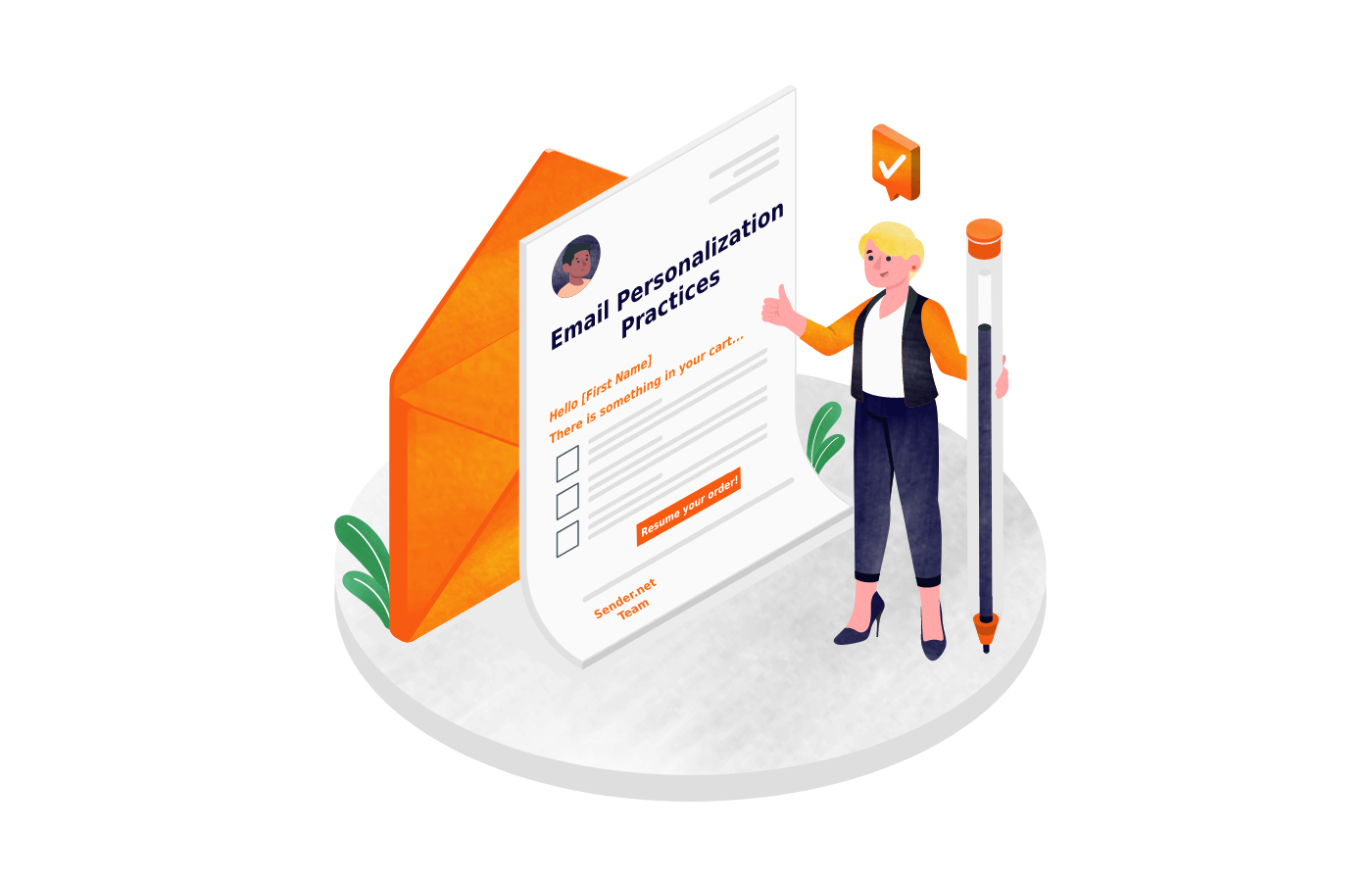
Easy Tricks to Personalize Your Email Campaigns Without Spending Hours
Creating personalized email campaigns can boost your open rates, click-throughs, and sales. But many marketers feel stuck because personalization often sounds time-consuming and complicated. Get more done in less time with email campaign ideas that connect with your audience—fast and easy. The good news? You don’t need to spend hours tweaking each message. Small, smart tricks can help you craft relevant emails quickly and easily. Here are simple ways to make your email marketing more personal—without the extra work. Streamline Your Data Collection to Enable Quick Personalization Use Customer Data Segmentation for Rapid Personalization Segmenting your audience lets you send more relevant emails fast. Email Campaigns Group contacts by basic info like age, location, or shopping habits. Most email platforms and CRM tools like Mailchimp or HubSpot make this simple. For example, if you sell clothes, tagging customers by their favorite styles helps you send targeted offers. Shopify customers, for example, can be tagged by purchase history, making segmentation a breeze. Leverage Existing Data with Minimal Effort Focus on data you already have. Recent purchases or browsing history give you a lot of clues about interests. Set up automatic updates so data stays fresh—no manual work needed. If someone bought running shoes, you can target them with new athletic gear later. The goal: use data you gather without extra steps. Implement Forms and Surveys for Better Data Gathering Drop quick forms on checkout pages or landing sites. Ask what they prefer or what they’re interested in. Keep surveys short—3 to 5 questions max—to avoid frustrating your contacts. For example, a quick quiz about favorite products can give you details to personalize future emails. A real-world case showed brands using short surveys boosted engagement because customers felt understood. Use Templates and Dynamic Content for Fast Personalization Develop Modular Email Templates Create reusable email campaign templates with placeholders for personal info. Use tools like Mailchimp or HubSpot to drag and drop content blocks. Insert places for names, locations, or recent purchases. This way, you don’t start from scratch each time. It saves time and keeps your branding consistent. Incorporate Dynamic Content Blocks Add blocks that automatically change based on the recipient’s data. For example, display different product picks depending on what someone browsed online. Email Campaigns Monitor reports that emails with dynamic content can lift click rates by up to half. These automatic swaps make your emails feel tailored without extra effort. Automate Personalization with Email Marketing Tools Set up workflows that send the right message at the right time. Want to welcome new subscribers? An automatic email that combines their name and favorite category makes them feel special immediately. Automations scale easily and save you hours each week. Personalize Subject Lines and Preview Text for Higher Open Rates Craft Customized Subject Lines Start with the recipient’s name or location. A line like “Sara, your new shoes are here!” feels personal and grabs attention. Do A/B tests—try two options to see which gets more opens. For quick tests, change just one element. Optimize Preview Text for Context The preview text appears right under the subject line. Use it to hint at personalized content inside. Keep it short and relevant. For example, “Your exclusive discount on summer styles” works well. Better preview texts boost open rates by making people curious. Use Personalization Tokens Effectively Most email tools let you insert tokens that automatically fill in personal details. Place these carefully—name, location, or recent activity. For example: “Hi |FirstName|, we picked something just for you.” This quick tweak can greatly improve your open percentage. Automate and Schedule Personalized Email Campaigns for Efficient Delivery Set Up Behavioral Triggers Use automation to act on what people do. Abandoned cart emails remind shoppers of what they left behind. Recommending products based on pages visited also feels personal. These triggers send timely, relevant messages without manual effort every time. Schedule Based on Recipient Time Zones and Preferences Send emails when your contacts are most likely to check their inbox. Adjust schedule times based on their location and past interaction times. This small step can boost open and click rates significantly. Use AI and Machine Learning for Smarter Personalization Some advanced tools analyze customer data automatically. They suggest what to promote next or predict what someone might buy. AI takes the guesswork out of personalization and helps you deliver smarter, highly relevant messages, all without extra effort on your part. Conclusion Personalizing your email campaigns doesn’t have to take hours or require complicated setups. Focus on collecting the right data—segment your audience, use existing information smartly, and ask for quick input. Develop reusable templates and dynamic content that automatically adapt. Craft attention-grabbing subject lines and preview texts. Automate your workflows to deliver personalized messages at the perfect moments. By using these straightforward tricks, you make your emails more relevant—without spending excessive time. Consistent, targeted personalization builds stronger relationships, increases engagement, and boosts your ROI. Keep it simple, stay focused, and watch your email marketing thrive. Frequently Asked Questions How can I quickly add a personal touch to my emails? Use merge tags to include the recipient’s name and recent activity. Small details make yourEmail Campaigns feel more friendly. What’s the simplest way to segment my email list? Divide contacts based on their past purchases or interests. This lets you send more relevant offers fast. How do I automate personalized emails? Use automation tools to send messages triggered by actions like sign-ups or browsing. It saves time and feels personal. Can I personalize emails without complex tools? Yes, use templates with placeholders for names or dates. Fill in details quickly before sending. How often should I personalize my emails? Make small tweaks for each campaign—personalize subject lines and greetings. Don’t overdo it; keep it simple.
How to choose the right social media management tool for small businesses
Social media has become a must-have for small businesses. Discover the top-rated social media management tools tailored to fit small business needs, budgets, and goals.It helps you reach new customers, build your brand, and grow sales. But managing multiple social accounts can be overwhelming. Posting at the right time, responding promptly, and tracking results takes a lot of work. That’s where a good social media management tool comes in. It saves you time, keeps your posts consistent, and shows what’s working. In this guide, we’ll look at how to pick a tool that fits your small business, review the top options, and share expert tips to make your choice easier. Understanding Your Small Business Social Media Goals Before choosing a tool, get clear on your goals. Why are you using social media? What do you want to accomplish? Define Your Business Objectives Your goals shape your whole strategy. Are you trying to increase brand awareness? Maybe you’re looking for new leads or trying to provide better customer service. A bakery might focus on real-time engagement to attract walk-in customers. A consulting firm, on the other hand, might want tools that help gather leads through targeted posts. Matching your goals with the right features makes all the difference. Identify Your Target Audience and Platforms Knowing your audience is key. Do your customers hang out on Facebook, Instagram, or LinkedIn? For example, teens and young adults prefer TikTok or Instagram. Professionals often stay on LinkedIn. Picking the right platforms helps you focus your efforts where it counts most. This makes your social media plan more effective. Determine Your Content and Posting Needs How often will you post? Do you mainly share images, videos, or stories? Small businesses need to pick tools that support the types of content they create. If you post many videos, look for a platform with good video scheduling. If you post daily, automation features can save time. Knowing your content needs guides you toward the best tool options. Key Features and Functionalities to Consider Not all tools are created equal. Focus on features that match your goals and workflow. Post Scheduling and Automation Consistency is king on social media. A tool that lets you schedule posts saves you from last-minute scrambles. Automation can help you post at peak times without being online all the time. For example, if you own a local cafe, scheduling weekly posts for specials keeps your feed fresh. Without scheduling, it’s easy to forget or delay your posts. Analytics and Reporting You need to see what works. Metrics like engagement, reach, and conversions tell you if your posts connect with people. Robust analytics help you tweak your content plan. For a small shop, knowing that posts about new products get more likes can guide future content. Collaboration and Team Management If you work with others, look for tools that support multiple users. Features like approval workflows, roles, and team calendars keep everyone on the same page. Small teams benefit from clear collaboration, avoiding mishaps and confusion. Social Listening and Customer Engagement Social listening tools help you monitor what people say about your brand. Are customers happy? Are there complaints? Engaging directly with followers builds loyalty. Features like inbox management simplify responding quickly to questions or comments. Integrations and Compatibility Your social tool should play nice with other apps. For instance, if you use a CRM or email marketing software, pick a tool that integrates with these. E-commerce integration lets you tag products directly in posts, boosting sales. Budget Considerations and Pricing Models Investing in the right tool depends on your resources. Small businesses often start with free options, but paid plans can add valuable features. Free vs Paid Tools Free tools are great to test but might come with limits. They often restrict the number of posts, users, or analytics depth. Paid plans usually unlock more capabilities, better support, and scalability. If social media is a core part of your marketing, paying for a plan makes sense. Subscription Tiers and Value Most tools offer multiple plans. Basic plans may cover scheduling and basic analytics. Higher tiers add advanced features like social listening or team collaboration. Evaluate what’s most important for your business and compare prices. Think of it as investing in your marketing team’s efficiency. Hidden Costs and Limitations Watch out for extra charges. Some tools charge for add-ons or limit the number of accounts you can connect in lower-tier options. Also check whether your preferred features are included with the plan or cost extra. Evaluating User-Friendliness and Customer Support Ease of use can make or break your experience. Ease of Use Choose a platform that’s straightforward. An intuitive interface reduces learning time and errors. Many tools offer free trials or demos—use these to test how easy it is to create posts, analyze reports, and collaborate. Customer Support and Resources Good customer support helps when issues arise. Look for options like live chat, email support, or extensive tutorials. User reviews can reveal how responsive companies are. If your chosen tool’s support team is quick and helpful, you’ll gain confidence in your decision. Scalability and Future Growth Your small business will likely grow. Pick a tool that can expand with you. For example, if you plan to add more social channels or hire staff, ensure the platform can handle that. Future-proof tools prevent the hassle of switching later. Real-World Examples and Expert Insights Take Sarah’s boutique store. She started with a free tool to schedule weekly posts. As her store gained more followers, she upgraded to a paid plan with analytics and social listening. This helped her spot trending products faster and engage customers directly. Today, her social media is a top driver of sales. An expert in small business marketing says, “Focus on tools that support your goals. Features like automation and analytics are must-haves. Don’t get distracted by bells and whistles you don’t need.” Keeping your goals clear saves money and frustration. Conclusion Choosing the right social media management tool involves understanding
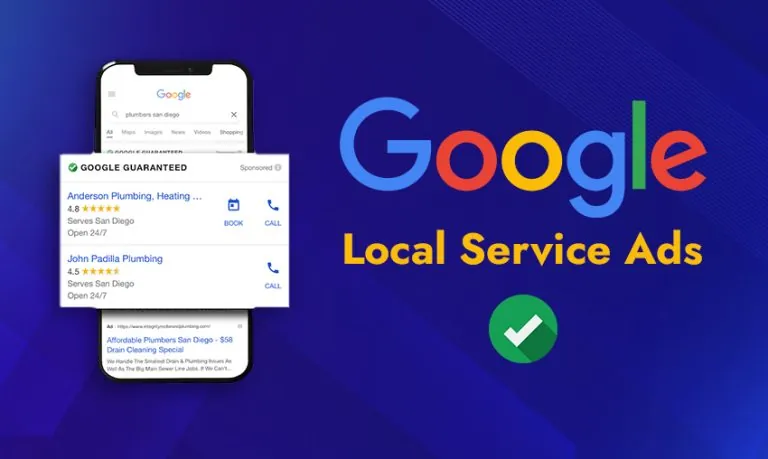
How local businesses can use Google Ads to attract nearby customers
When customers search for local shops or services, they often turn to Google. Over 70% of people visit a store within five miles of their home after searching online. This shows how important local search has become for small and medium-sized businesses. Digital ads like Ads help you get noticed right where customers are looking. If you want more foot traffic, using Google Ads can be your secret weapon. Understanding the Power of Google Ads for Local Businesses Why Google Ads Is Essential for Local Marketing Google Ads allows you to target people in your area with precision. Instead of wasting money on broad advertising, you focus only on those nearby who are likely to buy. Recent studies show that 78% of smartphone users make a local search at least once a week. These searches often lead to store visits or calls. Ads can give you measurable results, making it easier to see what’s working and what’s not. It puts your business right in front of people already looking for your services. How Google Ads Works for Local Campaigns You can set your ads to show only to users within a certain distance from your shop. For example, a bakery can target people within two miles during lunch hours. Google offers different ad types suited for local marketing: Real-world example: A local coffee shop used geo-targeted search ads to reach commuters in the morning. As a result, their foot traffic increased during peak hours. Setting Up a Successful Google Ads Campaign for Local Customers Defining Clear Goals and Measuring Success Start with what you want. Do you want phone calls? Online orders? Physical store visits? Set clear goals. Once you know what to measure, track key metrics. Look at click-through rates, how many people visit your in-store location, and the cost per customer. These help you see if your campaign works. Conducting Local Keyword Research Use tools like Google Keyword Planner to find the best keywords. Focus on location-specific phrases like “pizza near me,” “dentist in downtown,” or “hair salon in Brooklyn.” Long-tail keywords (more specific phrases) often attract quality leads. Including neighborhood and city names makes your ads more relevant to nearby searchers. Creating Location-Optimized Ad Content Craft ads that speak directly to local customers. Mention your neighborhood, a local landmark, or a community event. Include a strong call to action like “Visit us today” or “Call now for a special offer.” Use ad extensions to add your address, phone number, and extra links. This makes your ad stand out and makes it easier for people to contact you. Leveraging Advanced Google Ads Strategies for Greater Local Impact Using Geo-Targeting and Geo-Fencing Effectively Set your ads to show only within a specific radius around your business. For mobile campaigns, geo-fencing lets you target users in certain areas, like office parks or sports stadiums. For example, a restaurant targeting nearby office workers at lunchtime can get more customers with this approach. Incorporating Google My Business with Google Ads Link your Google My Business (GMB) profile with your Ads account. This boosts your local presence and makes your ads more trustworthy. Add location extensions so people see your address directly in the ad. Google recommends this setup for better local visibility. Implementing Remarketing and Local Campaigns Target visitors who checked out your site but didn’t buy or visit. Show them customized offers to bring them back. For example, a pet store could send digital coupons to nearby dog owners who visited their website. Use customer location data to focus your ads on people close by. Monitoring, Analyzing, and Optimizing Local Google Ads Campaigns Tracking Local Performance Metrics Use Google Ads and Analytics to gather data. Pay attention to store visits, call tracking, and online engagement. These insights tell you if your campaign pulls in local customers effectively. Improving Campaigns with Data Test different ad copies and extensions to see what gets more clicks. Adjust your bids based on which areas perform best. Keep refining your campaigns using feedback from local customers. Continuously improving is key to staying ahead of competitors. Avoiding Common Mistakes Don’t forget negative keywords. These prevent your ads from showing for irrelevant searches. Set realistic budgets to avoid overspending. Ensure your ads and website are mobile-friendly since many local searches happen on phones. Conclusion Google Ads is a vital tool for local businesses wanting to attract nearby customers. By targeting the right audience with clear goals, compelling content, and continuous optimization, you can grow your foot traffic and boost sales. Remember, the key is to keep refining your campaigns based on real data. With consistent effort and smart strategies, your business can stand out in your neighborhood and beyond. Use Google Ads as part of your core marketing plan and watch your local customer base grow. Frequently Asked Questions (FAQs) Why should my local business use Google Ads? Google Ads helps you target nearby customers actively searching for your services. It puts your business right in front of people ready to buy. How does Google Ads target local customers? You can set ads to show only within a specific distance from your shop. Geo-targeting ensures your ads reach people near your location. What types of Google Ads are best for local marketing? Search ads, map pack ads, and local service ads work well. They show your business in search results and maps, making it easy for local customers to find you. How do I choose the right keywords for my local ads? Use tools like Google Keyword Planner to find location-specific phrases. Focus on long-tail keywords like “plumber in Brooklyn” to attract quality leads. What are some tips for creating effective local ad content? Mention your neighborhood or landmarks and include a clear call to action. Use ad extensions to show your address and phone number.
Why Local SEO Matters for Small Shops and How to Improve It
Local Seois no longer just a convenience; it’s a necessity for small shops. Customers use their phones and computers to find nearby stores, services, and products. If your shop isn’t showing up in those search results, you’re missing out on many potential customers. According to Google, “78% of local mobile searches result in an offline purchase.” That’s a huge number for any small business. Improving yourSEO can boost your visibility, bring more foot traffic, and grow your sales. The Significance of Local SEO for Small Shops How Local Search infIuences Buying Decision People often turn to search engines when they need something nearby. They want quick answers, and they usually pick the first few businesses that show up. Research shows that “76% of people who do a local search visit a store within 24 hours.” That means if you rank higher in local searches, you’re more likely to see customers walking through your door. Local SEO puts your shop on the map—literally and figuratively. The Fight for Local Search Spotlights Small stores face stiff competition online. Many businesses are vying for the top spot on Google, especially in the local pack—map and list that show up at the top of search results. Being in that pack gives you a big advantage over competitors who only show up lower or on page two. Local searches tend to favor those who optimize their listings and website for their area. Cost-Effective Marketing for Small Budgets Traditional ads like flyers or radio spots can be expensive, with results that may not last. Local SEO offers a cheaper alternative that builds your online presence over time. It’s an investment that pays off in the long run. Plus, organic rankings mean you don’t have to pay every time someone clicks on your listing. The best part? Small shops can start small and grow their local visibility step by step. Key Components of Local SEO Optimization Google My Business Optimization Setting Up and Verifying Your Business Creating your Google My Business (GMB) profile is the first step. Claim your shop’s listing, enter accurate details, and verify your ownership. Google might send a postcard, call, or email for verification. Once verified, your shop can appear in local search results and on Google Maps. Optimizing Your Business Info Keep your name, address, and phone number (NAP) consistent everywhere—website,directories, and social profiles. Write a clear, keyword-rich description of your shop. Select the most relevant categories and add attributes like “wheelchair accessible” or “free Wi-Fi.” These details help Google show your business to the right people. Managing Reviews and Photos Encourage happy customers to leave positive reviews. Respond politely to all reviews, even the bad ones. Your replies show you care and can boost your reputation. Also, upload high-quality photos of your shop, products, or services. Good images attract attention and can sway decision-making. Local Keyword Research and Content Strategy Finding the Right Local Keywords Use tools like Google Keyword Planner, SEMrush, or Ubersuggest to find keywords your neighbors search for. Phrases like “bakery in downtown Springfield” or “plumber near me” are golden. Insert these naturally into your website’s pages, titles, and descriptions. Creating Location-Specific Content Blog about local events, community projects, or nearby landmarks. Develop landing pages targeting different areas you “serve—“pizza delivery in Riverside.” Mention local spots in your content so Google connects your shop with the neighborhood. Building Local Citations and Backlinks Directory Listings and Citations List your business on local directories such as Yelp, Bing Places, and Foursquare. Keep NAP details consistent across all these sites. This boosts your credibility and helps Google verify your business. Earning Backlinks from Local Sources Connect with local organizations, sponsor community events, or team up with other local businesses. Write guest posts on popular local blogs and news sites. These backlinks improve your search ranking and increase your visibility. On-Page SEO and Technical FactorsOptimizing Your Website Make sure your website is mobile-friendly and loads quickly. Navigation should be simple, with clear links and local keywords woven into your content. Local customers should find what they need fast and easily. Using Structured Data Markup Implement Schema.org LocalBusiness markup on your site. This code tells Google detailed info about your shop, helping your listing appear with rich snippets—like star ratings, hours, and reviews—which draw clicks. Tracking and Measuring Local SEO Success Important Metrics to Watch Track your search rankings for local keywords. Check how much traffic your website gets from local sources. Monitor if foot traffic or calls increase after your efforts. These numbers show what’s working and what needs tweaking. Helpful Tools and Resources Use Google Analytics and Google Search Console to evaluate your progress. Consider tools like Moz Local or Whitespark for audits and local citation checks. Adjust Your Strategy Use data insights to refine keywords, update your Google My Business profile, or enhance content. Keep an eye on review sentiments and engagement levels to maintain a positive online reputation. Conclusion Local SEO isn’t just a marketing tactic; it’s a must for small shops wanting to thrive. It helps your business appear in front of nearby customers actively searching for what you offer. By working on your Google My Business, choosing the right keywords, earning local backlinks, and optimizing your website, you’ll see more visitors and sales. Start small, stay consistent, and watch your community discover your shop. Invest in today—your neighbors—and ultimately your business—will thank you. Frequently Asked Questions (FAQs) Why is local SEO important for small shops? Local SEO helps small shops show up in nearby searches. It brings more local customers to your door. How can I improve my small shop’s local search rankings? Use your shop’s name, address, and phone number on all platforms. Get good reviews and update your Google My Business profile. What role do reviews play in local SEO? Reviews boost your shop’s trust and visibility. Encourage happy customers to leave honest reviews. How do keywords affect my local SEO? Use simple words customers might search for. Include these words on your website

Comparing popular website builders: Which one fits your business best?
Building a website has become easier than ever. With so many website builders out there, it’s no wonder small and medium-sized businesses find it hard to choose the right one. Picking the best platform isn’t just about looks; it’s about how well it supports your brand, grows with you, and gives visitors a good experience. This guide breaks down what to look for and how some top website builders measure up. Why Website Builders Matter for Businesses In today’s digital-first world, having a professional online presence isn’t just a nice-to-have—it’s a must. Whether you’re running a small startup or managing a large-scale enterprise, your website is often the first interaction a customer has with your brand. Think of it like your digital storefront. If it’s cluttered, slow, or poorly designed, you risk losing that customer before you even get a chance to impress them. This is where website builders come into play. Website builders are platforms that allow users to create and maintain websites without needing to write code from scratch. For business owners who aren’t tech-savvy—or who simply don’t have the time—these tools are a game-changer. They provide pre-designed templates, drag-and-drop editors, and a host of built-in features that make building a website both fast and affordable. for Choosing a Website Builder Understanding the Key Criteria for Choosing a Website Builder User-Friendliness and Accessibility Using a website builder should feel simple, even if you’re not tech-savvy. Look for tools with drag-and-drop features, which make customization a breeze. The less time you spend figuring out how to change things, the faster you can launch your site. Easy-to-navigate dashboards help save effort and reduce frustration. Features and Customization Options Great website builders pack in essentials like e-commerce capabilities, SEO tools, and third-party integrations. Think about your business needs and what features matter most. How flexible are their templates? Can you change colors, fonts, and layouts without hassle? The more options, the more tailored your site can be. Pricing and Value Some builders look affordable at first glance but cost more as you add features. Transparent pricing plans reveal what you’ll pay monthly or yearly. Beware of hidden fees for upgrades, transactions, or third-party plugins. A good platform offers clear plans and good value for your money. Scalability and Growth Potential Your business might start small, but plan to grow. Can the website builder handle more traffic, products, or services later? Check if it offers easy upgrades, additional storage, and tools for expansion. This avoids needing to switch platforms down the road. Support and Community When things go wrong or you have questions, support matters. Look for available channels—live chat, email, or phone. A big, active community is a bonus, providing tutorials, forums, and third-party add-ons to help you succeed. Popular Website Builders Compared Wix Overview: Friendly for beginners, Wix shines with its clarity and versatility. It’s perfect for small businesses, freelancers, or anyone who wants a quick setup. Strengths: Limitations: In Action: Many local shops use Wix because of its ease and attractive designs. It’s great when you want a stylish site fast. Shopify Overview: If your focus is selling online, Shopify leads the way. It’s built specifically for e-commerce stores of all sizes. Strengths: Limitations: Expert Insight: E-commerce pros say Shopify grows with your business, offering tools for marketing, dropshipping, and shipping logistics. WordPress with WooCommerce Overview: You get unlimited customization with WordPress, especially when paired with WooCommerce for online selling. Strengths: Limitations: Real-World Example: Many successful online brands rely on WordPress and WooCommerce for their flexibility and control, especially those with larger product ranges or unique branding needs. Squarespace Overview: Known for its eye-catching, creative templates, Squarespace suits artists, photographers, and service providers. Strengths: Limitations: Best For: Creatives wanting a stylish portfolio or small online shop without fuss. Weebly Overview: Weebly offers an affordable, straightforward website builder aimed at beginners and small businesses. Strengths: Limitations: Popular Among: startups, local restaurants, and small retail shops that want a functional site without complexity. How to Choose the Right Website Builder for Your Business Assess Your Business Needs and Goals Think about what your website should do. Do you want to sell products, showcase your portfolio, or generate leads? Will your site grow quickly? Knowing your goals helps pick the platform that matches. Budget Considerations Start with a websitebuilder for your budget, but consider long-term costs. Will you need premium features later? Watch out for hidden fees such as transaction costs or expensive add-ons. Pick a plan that’s affordable now but flexible enough to scale. Technical Skills and Resources Be honest about your comfort level with tech. If you’re not a developer, choose a builder with easy tools and good support. Communities and tutorials matter when you get stuck. Platform Flexibility and Customization Needs Do you want something that works right out of the box? Or do you need advanced customization? Think about SEO, marketing integrations, and whether the platform allows growth without heavy restrictions. Read User Reviews and Case Studies Learning from others’ experiences saves time. Look for reviews from businesses similar to yours. Success stories reveal what works and what doesn’t. Conclusion Picking the right website builder is crucial to your online success. Focus on ease of use, valuable features, scalability, and support. Align your choice with your business goals and resources. Do your research and try free trials—your ideal platform is out there waiting. When you find it, you set the stage for growth, better branding, and happier visitors. Frequently Asked Questions (FAQ) What is a website builder? A website builder is a platform that allows users to create websites without needing to code. Popular builders include WordPress, Wix, Shopify, and Squarespace. Which website builder is best for small businesses? For small businesses, WordPress + Elementor is a top choice due to flexibility and SEO capabilities. Wix is easier for beginners, while Shopify is best for eCommerce. Is WordPress better than Wix? Yes, WordPress offers more customization, plugins, and control, especially for SEO and scalability. Wix is better

How to write clear and strong calls to action that boost sales
Capturing a visitor’s attention and guiding them toward a goal is the core purpose of a call to action (CTA). When done correctly, a can turn casual browsers into loyal customers. But crafting effective CTAs isn’t just about slapping on a button or a link; it’s about making them clear, persuasive, and impossible to ignore. Research shows that well-designed websites can increase conversion rates by as much as 80%. That means a small tweak here or there could significantly boost your sales and marketing ROI. Whether you run an online store, a service business, or a newsletter, understanding how to craft powerful calls to action can make a real difference. The Fundamentals of Effective Calls to Action Understanding the Purpose of a CTA A CTA is a prompt that tells your audience what step to take next. It’s the final nudge in your sales funnel. The main job? Guide users to act—whether that’s buying, signing up, or learning more. Without a clear CTA, potential customers might get lost or lose interest. It acts as the bridge between interest and action. Common Types of CTAs Different goals call for different Here are some typical examples: Use these based on your goal. Want quick sales? Use “Buy Now.” Looking to build your email list? “Subscribe” works best. Essential Elements of a Strong CTA A good CTA hits a few key points: Crafting Clear and Persuasive CTA Copy Using Action-Oriented Language Power verbs grab attention and drive action. Think along the lines of “Discover,” “Join,” “Save,” or “Create.” Pair these with emotional triggers—like feeling exclusive or saving money—to make your message resonate. Keeping It Concise and Focused Less is more. Aim for 3–7 words that get straight to the point. For example, instead of “Click here to learn more about our exciting offer,” use “Get Your Discount.” Avoid vague or passive words that don’t inspire action. Personalization and Relevance Speak directly to your audience. Tailor your message based on who they are or what they’ve shown interest in. Tools that use dynamic content help deliver personalized messages, like “Hey Sarah, claim your free trial now.” This increases the chance users will click. Designing Visually Appealing and Effective CTAs Placement and Visibility Position your CTA where users expect to see it—above the fold or at the end of a product description. On long pages, repeat your CTA in different spots to catch users at multiple moments. Remember, a visible can make or break conversions. Use of Color and Contrast Choose colors that stand out from your background while matching your brand. Bright shades like red, orange, or green often perform well. A high-contrast button draws the eye and encourages clicks. Incorporating Design Elements Add arrows or icons to direct attention. Use whitespace to make your CTA pop without clutter. Keep your design consistent across your website, emails, and ads to build familiarity. Testing and Optimizing Your Calls to Action A/B Testing Strategies Test different versions to see what works. For example, try changing the copy, color, or placement. Small changes can lead to big jumps in conversion. One case study showed a 30% increase in sign-ups just by switching the CTA color. Using Analytics to Drive Improvements Track how users interact with your CTAs. Metrics like click-through rate, conversion rate, and bounce rate tell you which versions perform best. Use tools like Google Analytics or heatmaps to gather insights. Iterative Refinement Regularly update your CTAs based on data and feedback. If a particular phrase isn’t working, test a new one. Continuously refine until you find what resonates most with your audience. Real-World Examples and Case Studies Amazon’s “Buy Now” button is a classic example. It’s straightforward, highly visible, and screams urgency. Dropbox offers a clear “Get Started for Free, removing any hesitation about trying their service. These companies show the power of simple, well-designed CTAs. Even less effective often make mistakes. A common pitfall? Using generic phrases like “Submit” or “Click Here,” which lack context or appeal. Clear, benefit-driven language paired with design makes all the difference. Conclusion Creating effective calls to action is both an art and a science. Focus on clarity, use compelling language, design for visibility, and test consistently. Remember, your goal is to guide users smoothly toward the next step, matching what they want with what you offer. Keep refining your base on real data, and you’ll see sales and engagement grow over time. The best CTA in the world won’t work if it’s not aligned with your customer’s journey. Make sure every call to action speaks directly to their needs and desires, and watch your sales reach new heights. Your next great conversion is just a well-crafted away.
Unlocking the Power of Digital Marketing Simple Tips for Small Budgets
Using digital marketing can boost your small business without spending a fortune. Even with a limited budget, smart strategies can bring big results. The key is working smarter, not harder, to reach your ideal customers. This article shares practical tips to help your business grow online without breaking the bank. Whether you’re just starting out or want to improve your current efforts, these simple ideas can make a huge difference. Understanding the Digital Marketing Landscape for Small Budgets The Shift Toward Digital in Small Business Growth More small businesses are turning to online tools to grow. Recent stats show that nearly 70% of small companies now use digital marketing to find new customers. Why? Because digital channels are cheaper than traditional ads. Plus, results are easy to track, so you know what’s working. Common Challenges and Misconceptions Many think digital marketing costs too much or is too complicated. But that’s not true. With a clear plan, small budgets can still make a big splash. Focus your efforts on a few key tactics instead of trying to do everything at once. Developing a Cost-Effective Digital Marketing Strategy Setting Clear, Achievable Goals Start by setting small, real goals. Use the SMART method—Specific, Measurable, Achievable, Relevant, and Time-bound. For example, aim to increase website visitors by 20% in three months or collect 50 new email contacts a month. Identifying the Right Audience Knowing who your customers are matters. Use free tools like Google Analytics or Facebook Insights to learn about your followers. Focus on a niche market that needs what you offer. It costs less to target specific groups, and your message hits home better. Prioritizing High-Impact Channels Some channels give better results for less money. Social media, email, and content marketing are your friends here. Spend most of your resources where your audience hangs out. Plan your content to match each platform’s style for better engagement. Leveraging Free and Low-Cost Digital Tools Social Media Platforms Choose platforms like Facebook, Instagram, or LinkedIn based on where your customers are. Keep your content simple and engaging. Use eye-catching images, short videos, or polls to get attention without spending much. Content Marketing and Blogging Tips for blogs help you show your expertise and attract visitors organically. Write articles that answer common questions in your industry. Use keywords naturally so Google finds your content easier. Repurpose existing content into social posts or videos to save time and money. Email Marketing Email remains one of the cheapest and strongest tools. Use free services like Mailchimp or Sendinblue. Grow your list by offering discounts or helpful tips. Keep your emails friendly and useful to maintain Implementing Cost-Effective Paid Advertising Strategies Targeted Social Media Ads Even small budgets tips can run effective ads. Use audience targeting options and test different messages. Small, focused campaigns often perform better than broad, expensive ads. Search Engine Advertising (Google Ads) Set up simple, tips targeted Google Ads with low budgets, tip-tops. Use tools like Google Keyword Planner to find cheap, high-conversion keywords. Focus on local or niche keywords to save money and boost returns. Retargeting and Remarketing Re-engage visitors who already showed interest. Retargeting ads are cheap and help turn website visitors into customers. Small ad spends on re-engagement often give great returns. Tracking Key Metrics Use free tools like Google Analytics and Facebook Insights. Track how many visitors come to your site, which ads perform best, and what actions users take. This data shows what works and what doesn’t. Adjusting Strategies Based on Data Refine your efforts based on what you learn. If a post gets lots of views but no sales, change your message. Small tweaks can improve your results quickly and cheaply. Scaling Budget-Smart Campaigns When you see what works, reinvest your profits into bigger campaigns. Slowly increase your budget for the best channels. This way, you grow steadily without risking much upfront. Measuring Success and Optimizing Campaigns Tracking Key Metrics Use free tools like Google Analytics and Facebook Insights. Track how many visitors come to your site, which ads perform best, and what actions users take. This data shows what works and what doesn’t. Adjusting Strategies Based on Data Refine your efforts based on what you learn. If a post gets lots of views but no sales, change your message. Small tweaks can improve your results quickly and cheaply. Scaling Budget-Smart Campaigns When you see what works, reinvest your profits into bigger campaigns. Slowly increase your budget for the best channels. This way, you grow steadily without risking much upfront. Key Takeaways and Final Tips Consistency is key. Keep showing up and refining your approach. Small businesses tips can do big things online with the right plan and a bit of elbow grease. So, start now. Your digital marketing journey begins with simple steps that lead to lasting growth. Conclusion Digital marketing offers endless opportunities for small budgets. Tips to grow. The secret is choosing the right tactics and sticking with them. Use free tools, target your audience carefully, and always check your progress. Small tips and efforts combined with smart tips planning can make a mighty impact. Keep learning, adjusting, and never underestimate the power of digital marketing—your small business’s growth depends on it. FAQ: Can I really do effective digital marketing with a small budget? Absolutely! With smart strategies and the right tools, even businesses with limited funds can build strong online visibility, engage customers, and drive sales. . What are the most cost-effective digital marketing strategies? Google Business Profile Optimization Content Marketing (blogs, infographics, videos) Social Media Marketing (organic engagement) Email Marketing (newsletters, offers) SEO (Search Engine Optimization)